


Chatavise Message Variables
Every Customer Gets a Message That Feels Written Just for Them. Without Anyone on Your Team Writing a Single Word.
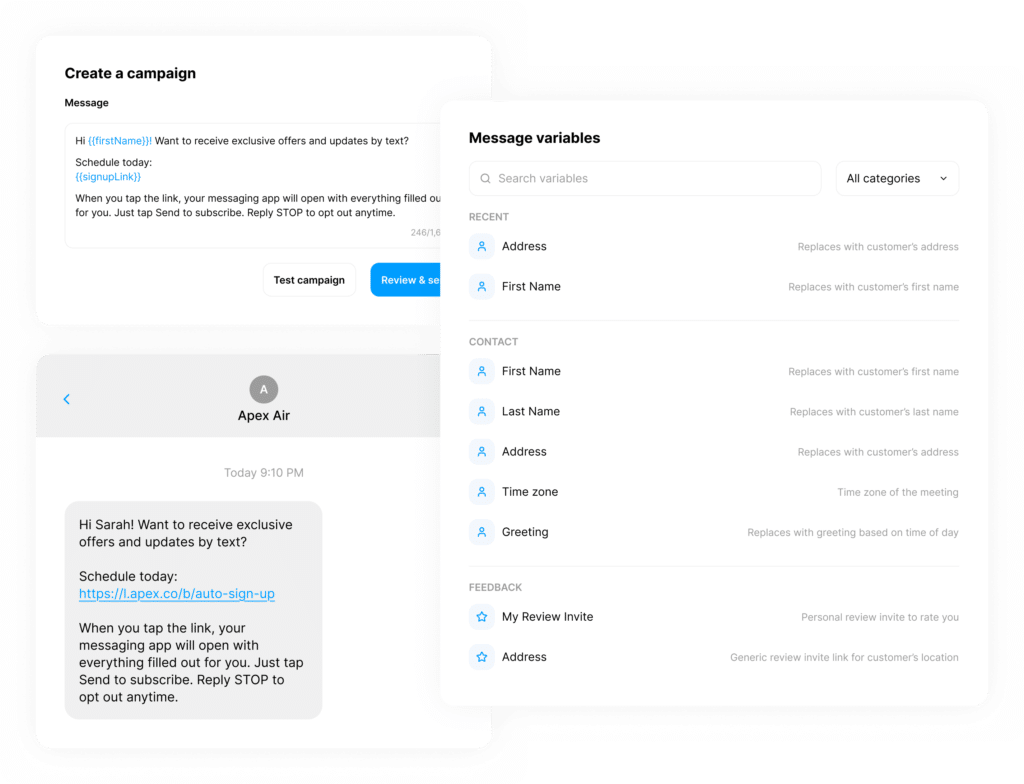
Chatavise Message Variables automatically pull real job data into every SMS your business sends so every message feels personal, relevant, and professional at the exact moment it arrives, whether you're sending one message or a thousand.
THE COMMUNICATION DILEMMA
The Problem With Generic Messages at Scale
When your office team is managing 10 or more jobs a day, customer communication faces a tension that most home service businesses never fully solve. Generic messages get the job done but feel impersonal. Manual personalization feels great but quickly becomes unsustainable as job volume grows.
Generic Messages Feel Impersonal
The communication gets done, but customers have no idea who is coming, when they're arriving, or whether the message even applies to them.
Manual Personalization Doesn't Scale
At 15 or 20 jobs a day, no one on your team has the bandwidth to manually personalize every message without increasing the chance of errors.
Job Details Get Lost or Mistyped
When your team manually personalizes every message, the probability of errors occurring with job details goes through the roof.
SEE THE DIFFERENCE
The Contrast That Says Everything
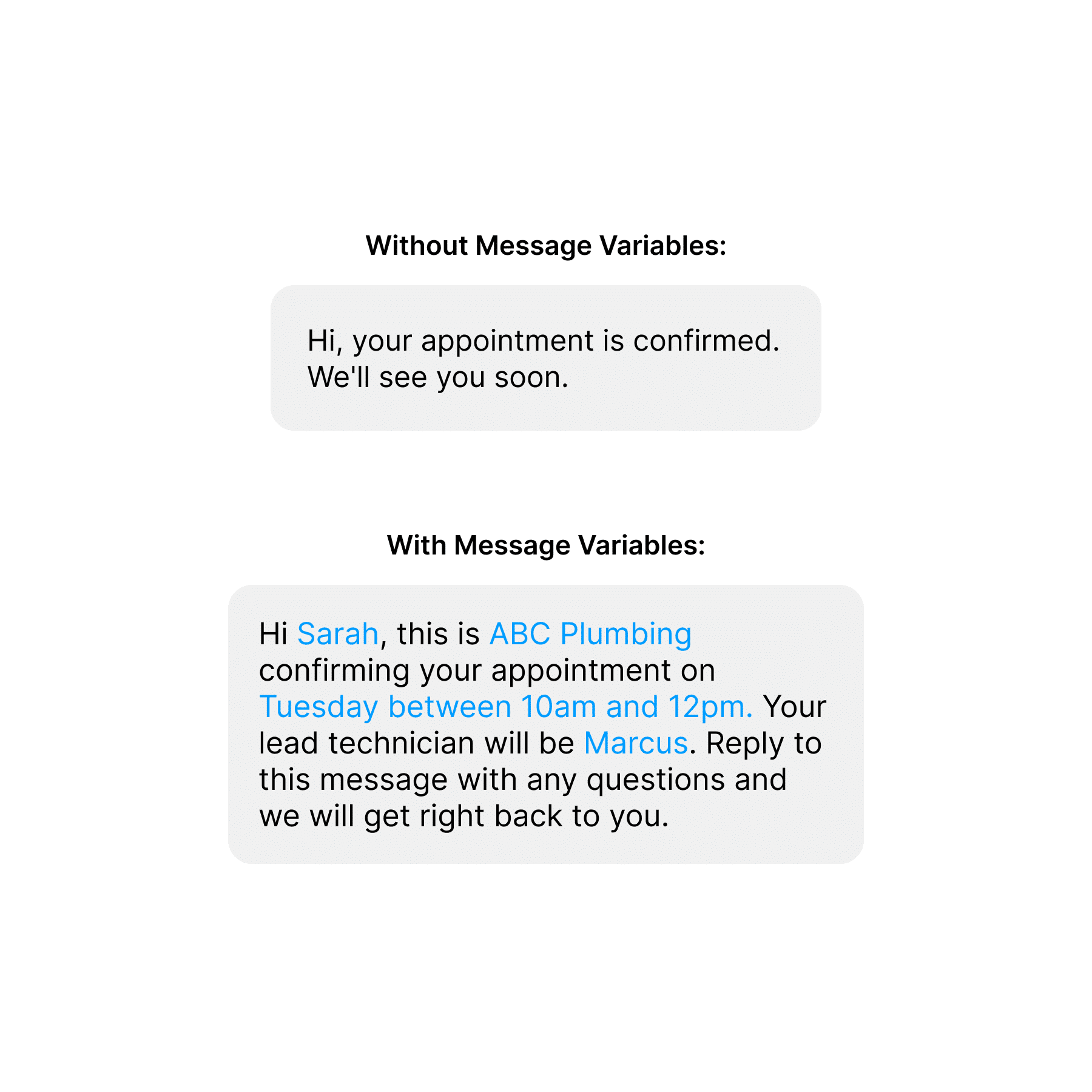
Sarah knows it's for her. She knows when her appointment is. She knows who is coming. She knows how to reach out if she needs anything. And she received all of that information without a single person on your team having to type her name, look up her appointment, or remember to include the technician's name.
SEE THE DIFFERENCE
The Contrast That Says Everything
Sarah knows it's for her. She knows when her appointment is. She knows who is coming. She knows how to reach out if she needs anything. And she received all of that information without a single person on your team having to type her name, look up her appointment, or remember to include the technician's name.
-
Same template.
-
Same effort from your office team.
-
Completely different experience for the customer.
That's what Message Variables do for every message your business sends.
PERSONALIZATION IN EVERY MESSAGE
5 Ways Home Service Businesses Use Message Variables Every Day
Message Variables automatically pull customer and job data into every message. Instead of sending generic texts, your business delivers personalized communication that feels timely, relevant, and written specifically for each customer.
Appointment Confirmation
Without variables it says: "Your appointment is confirmed." With variables it says: "Hi James, this is Atlanta HVAC confirming your tune-up appointment on Thursday between 8am and 10am. If you have any questions before we arrive call us at 770-555-0100."
On-The-Way Notification
Without variables it says: "Your technician is on the way." With variables it says: "Hi James, Marcus from Atlanta HVAC is currently on the way to your home. His estimated arrival is between 9:15am and 9:30am. Click here to track his location in real time: [tracking link]"
Review Request
Without variables it says: "We hope you enjoyed your service. Please leave us a review." With variables it says: "Hi James, thank you for choosing Atlanta HVAC today. If Marcus and the team did a great job we would love to hear about it. Your personal review link is below and it only takes a minute: [personalized review link]"
Referral Request
Without variables it says: "Know someone who needs HVAC service? Share us with your friends." With variables it says: "Hi James, we are so glad Marcus took great care of you today. If you know anyone in the Atlanta area who could use our help, share your personal link below and you will both be taken care of: [referral link]"
Post-Job Survey
Without variables it says: "Please take a moment to share your feedback." With variables it says: "Hi James, we would love to hear how Marcus did on your tune-up today. It only takes a minute and your feedback helps us serve you better: [survey link]"
THE DETAILS THAT MAKE MESSAGES PERSONAL
The Variables Behind Every Message
Message Variables are organized into ten categories that cover every piece of data your business generates across customers, jobs, locations, and team members.
-
Contact Variables Pull in customer-specific information like name or address so every message starts with the right personal touch.
-
Order Variables Pull in job-specific information like the arrival window so every job-related message is tied to the work being done.
-
Location Variables Pull in your business name and phone number so every message comes from a recognizable source.
-
Feedback Variables Pull in personalized review invite links so every review request goes to the right platform.
-
Link Variables Pull in any custom Short Links you have created so promotional links can be included in messages automatically.
-
Referral Variables Generate unique referral links assigned to the specific customer so rewards always go to the right person.
-
Survey Variables Pull in the survey link relevant to the specific job so every feedback request is tied to the right experience.
-
Tracking Variables Pull in the real-time tracking link for the technician on the way to the job so customers can follow their arrival.
-
Meeting Variables Pull in appointment times, reschedule and meeting links for businesses that use virtual consultation features.
-
User Variables Pull in information about the user so team-specific communications always come from the right person.
MAKE EVERY MESSAGE READ NATURALLY
Ask Kelli Helps You Write the Message Around Your Variables
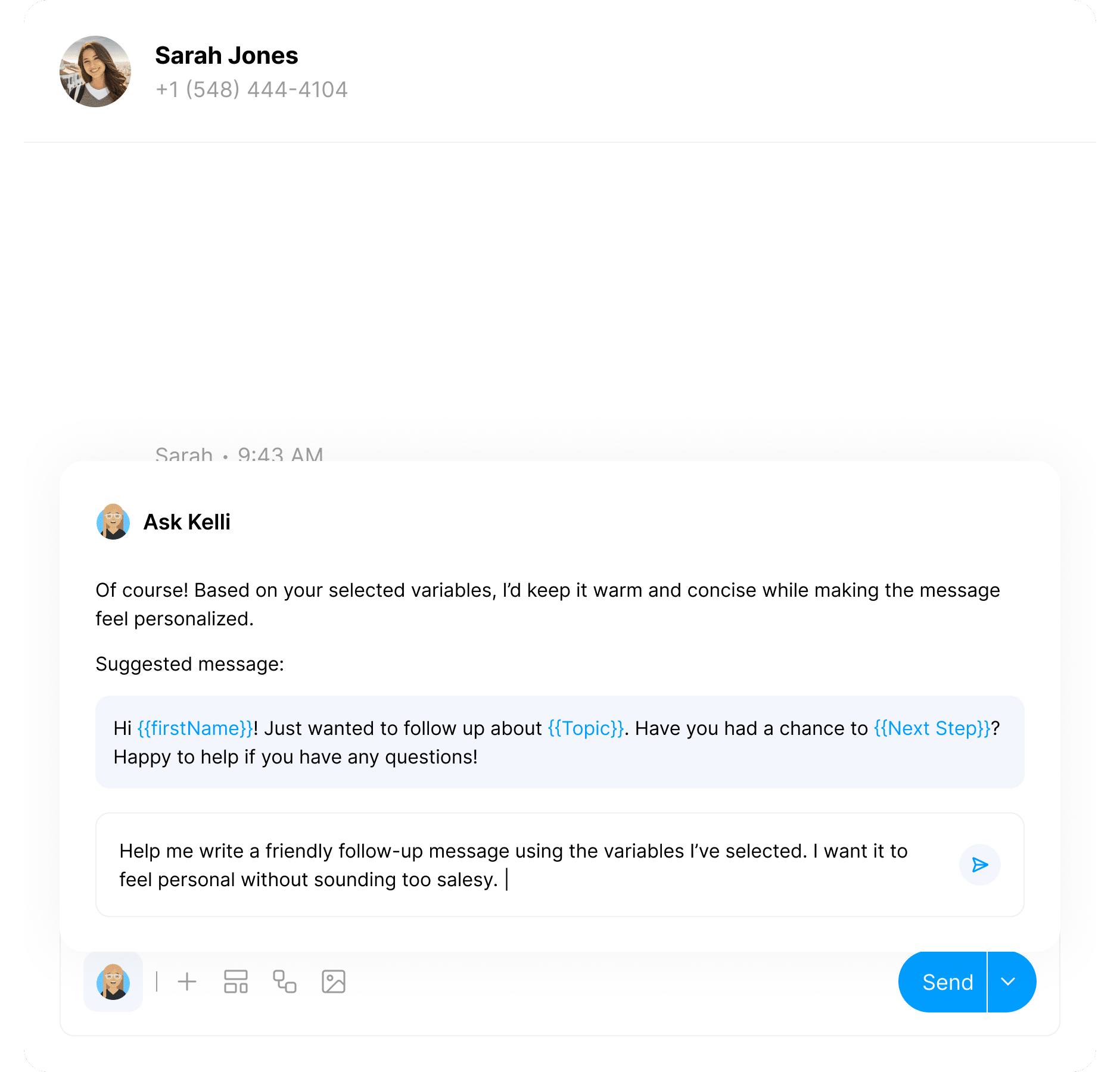
Ask Kelli is Chatavise's built-in AI assistant that helps you craft better messages using real data from your account. When you're building a template or writing a one-on-one message and want help getting the wording right around the variables you've chosen, Ask Kelli is available right there in the editor.
MAKE EVERY MESSAGE READ NATURALLY
Ask Kelli Helps You Write the Message Around Your Variables
Ask Kelli is Chatavise's built-in AI assistant that helps you craft better messages using real data from your account. When you're building a template or writing a one-on-one message and want help getting the wording right around the variables you've chosen, Ask Kelli is available right there in the editor.
-
Your message reads naturally.
-
It sounds like your business.
-
It delivers the right personalized information without feeling robotic
Knowing which variables to use is one thing. Writing a message that flows naturally around them is another.
WORKS WITH EVERY TYPE OF MESSAGE
Message Variables Work Everywhere You Send a Text in Chatavise
Every place in Chatavise where you write a text message supports Message Variables. One system. Personalization everywhere. Without anyone on your team having to manually customize a single message.

Templates
Build a template once with variables and every time it's used the variables populate automatically with real data for that specific customer and job.

Workflows
Set up a workflow and every automated message in the sequence pulls in the right information for the right customer at the right stage.

Consolidated Inbox
Send a one-on-one message from the Consolidated Inbox and variables are available with one keystroke.

Text Blasts
Launch a text blast campaign and variables personalize every message in the send for every subscriber on the list.
MORE WAYS TO GROW
Check Out Related Features
Discover additional tools designed to help field service businesses streamline operations, improve customer experience, and drive growth.
Templates
Message Variables and Templates work together to create a message library that sends perfectly personalized communications at scale. Build the template once with the right variables and every send feels handcrafted for the customer receiving it.
Workflows
Workflows are what trigger messages automatically. Message Variables are what make those automated messages feel personal rather than generic. Together they create a customer communication experience that feels intentional across every interaction throughout the entire job lifecycle.
At 10 Jobs a Day Every Message Matters. Message Variables Make Sure Every One of Them Lands Right.
Your customers can tell the difference between a message that was written for them and one that was written for everyone.
Message Variables make it possible to send the former at any volume without adding a single task to your office team's day.
Book a demo today and see what your customer communications look like when every message has the right name, the right details, and the right personal touch built in automatically.
